NewsWe raised a US$2M pre-seed
ChatFeatured

Changelog

What's new in ChatFeatured

New features and improvements, as they ship.

November 2026

  1. Improvement

    All of ChatFeatured, from inside your AI assistant

    We rebuilt our MCP server from scratch. Connect Claude, ChatGPT, Cursor or any other MCP client, and it can do what you'd do in the dashboard: check your AI visibility, find content gaps, write, edit and publish articles, and run site audits.
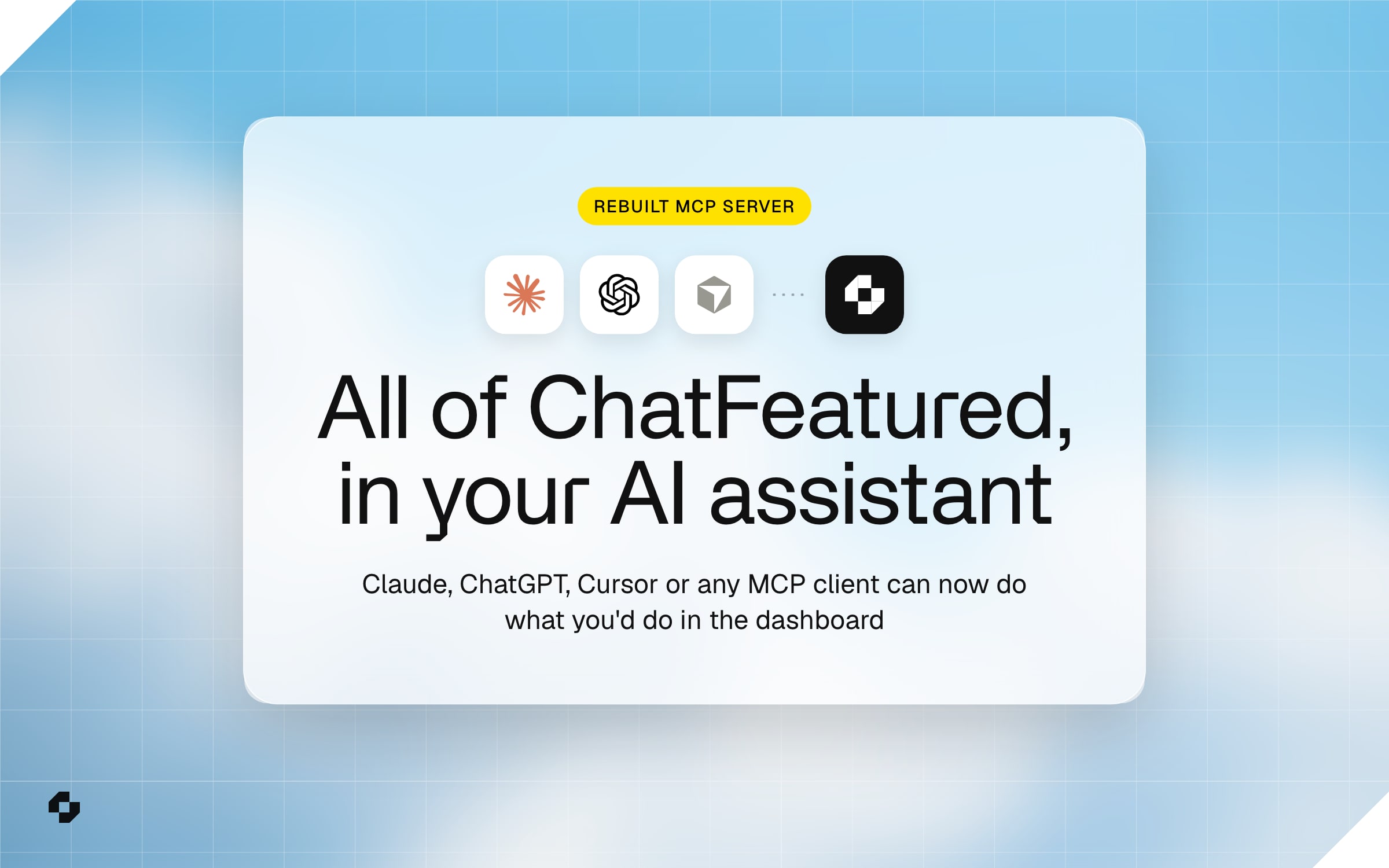
    The Claude, ChatGPT and Cursor marks connected to the ChatFeatured mark, above the line "All of ChatFeatured, in your AI assistant"

    More of the work our customers do now starts in a chat window. You ask Claude how last week went, ask Cursor to fix a page, ask ChatGPT for a first draft. Behind those chats, agents are reading pages, calling APIs and finishing tasks for people. More and more, the assistant is where people use software from.

    That's the shift ChatFeatured was built to track, with AI assistants deciding which brands get recommended. It also changes what a good SaaS product is. A tool that only works when you open its dashboard is starting to feel like a website without a mobile version did in 2012.

    Most MCP servers so far wrap a few endpoints: an agent can read some numbers and not much else. We wanted one an agent could do a whole job with, so we rebuilt ours.

    What's in it

    • The whole platform. Everything you can do in ChatFeatured is a tool: visibility, prompts, competitors, articles, publishing, site audits, reports and integrations. They're grouped by area, so the assistant finds the right one quickly.
    • Errors that say how to fix them. When a request goes wrong, the error tells the assistant what to change, often down to the exact next call, so it gets back on track without you.
    • Long jobs, followed through. Writing an article takes a few minutes. The assistant starts it, waits, and comes back with the draft.
    • Edits that stay where you point them. Ask for a sharper intro and only the intro changes. The rest of the article is left alone.
    • You keep the sensitive steps. Checkout, billing and connecting Google Analytics or Search Console come back as a link to open in your browser. Passwords and card details never go through the chat.
    • Tested on real work. Before we shipped it, we ran 33 tasks marketers actually ask for, from weekly reporting to publishing an article, through the old server and the new one, and checked each result against the data itself. The new server finished all of them.

    What it means for marketers

    Monday's report becomes one question. Ask how you showed up in AI answers last week, and you get the numbers, what moved and three things to do next. Ask where a competitor beats you, and the assistant finds the prompts, the pages that get them cited and an article idea for each gap. Say "write it", and it writes the article, rewrites the section you didn't like, and publishes it to your CMS, all in the same conversation. Agencies can do the same across every client project they manage.

    Ready-made commands cover the common jobs: weekly-report, content-gaps, competitor-brief and edit-article.

    Connecting it

    Already connected? Your assistant has picked up the new tools, so there's nothing to set up again. If saved instructions or scripts name an old tool, like list_brands, switch them to the new names in the setup guide.

    New to it? Open Integrations > AI Agent (MCP), copy the server URL, add it to your assistant and sign in with your ChatFeatured account.
  2. New feature

    Writing guidelines, so every article sounds like your brand

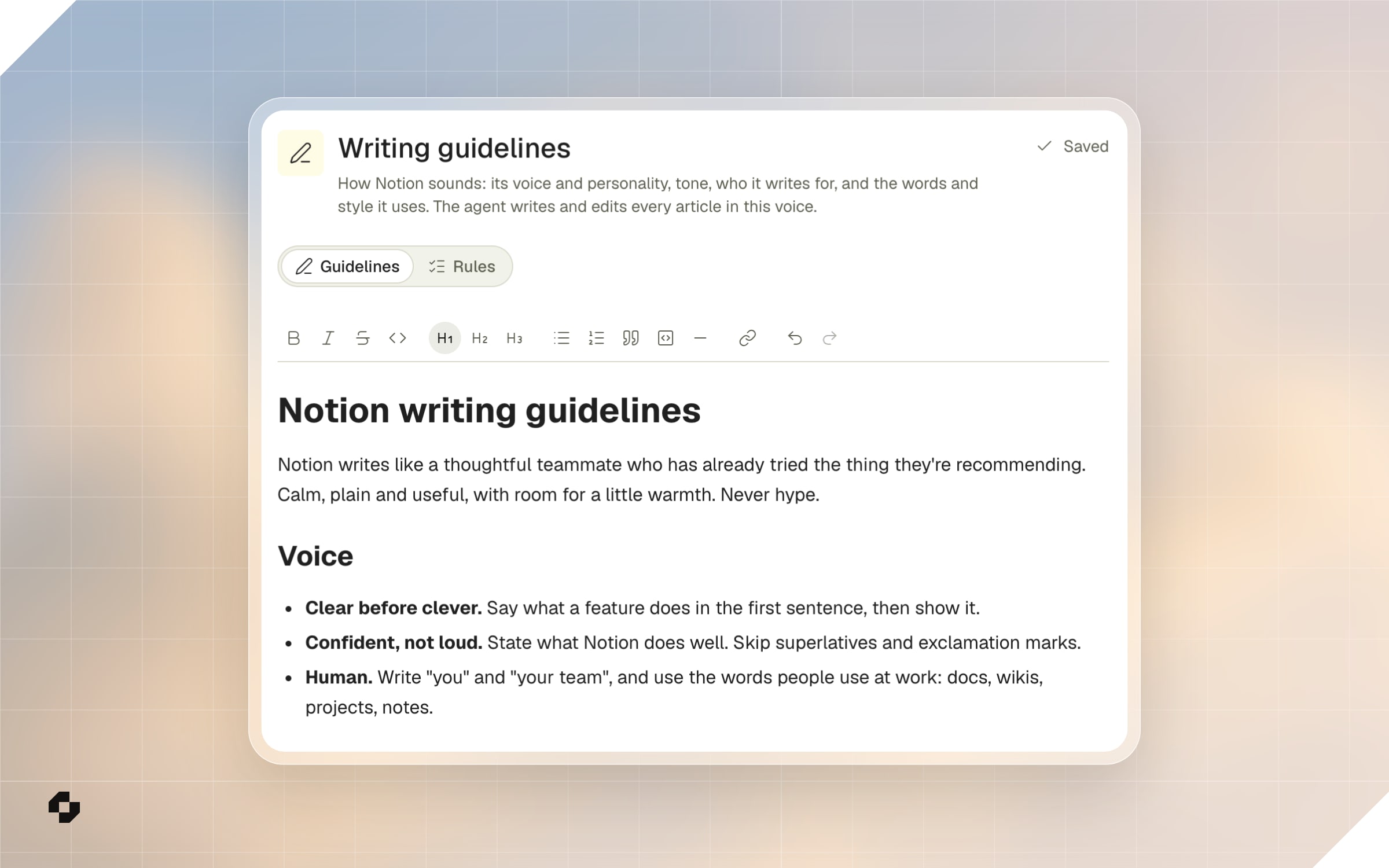
    Writing Guidelines in Content Hub describes how your brand sounds, and the article writer, the AI Editor and the agent all write to match it. The agent can draft the first version from your website, and a Rules tab holds anything that must be followed to the letter.

    The Writing guidelines page in ChatFeatured for a Notion project, on the Guidelines tab beside Rules, with a document titled "Notion writing guidelines" describing a calm, plain voice and three Voice rules: clear before clever, confident not loud, human
    • Drafted from your website. Click Generate from website and the agent reads several pages of your site in the chat, where you can follow each page it opens, then saves a first version: your voice, who you write for, the words you like and your style. Or click Write my own to start from a blank page. New projects get this as a step in Getting Started, before Content Strategy, so the first articles already sound like you.
    • A document you edit like an article. Headings, lists, links and tables, saved as you type. You can also ask the agent, for example "research our website and rewrite our writing guidelines", and it updates the page.
    • Rules for what can't bend. The Rules tab holds how to write your name and products, words to use or never use, and claims never to make. Where a rule and the guidelines disagree, the rule wins. Tell the agent "never use exclamation marks" and it adds the rule. Custom instructions you gave the agent before are here as your rules.
    • Your voice, still written to get cited. The guidelines decide voice, tone, wording, spelling and capitalization. Articles keep the structure AI answers cite: your target prompts as question headings, clear definitions and sources.
  3. New feature

    Social, the Reddit threads and videos AI answers cite

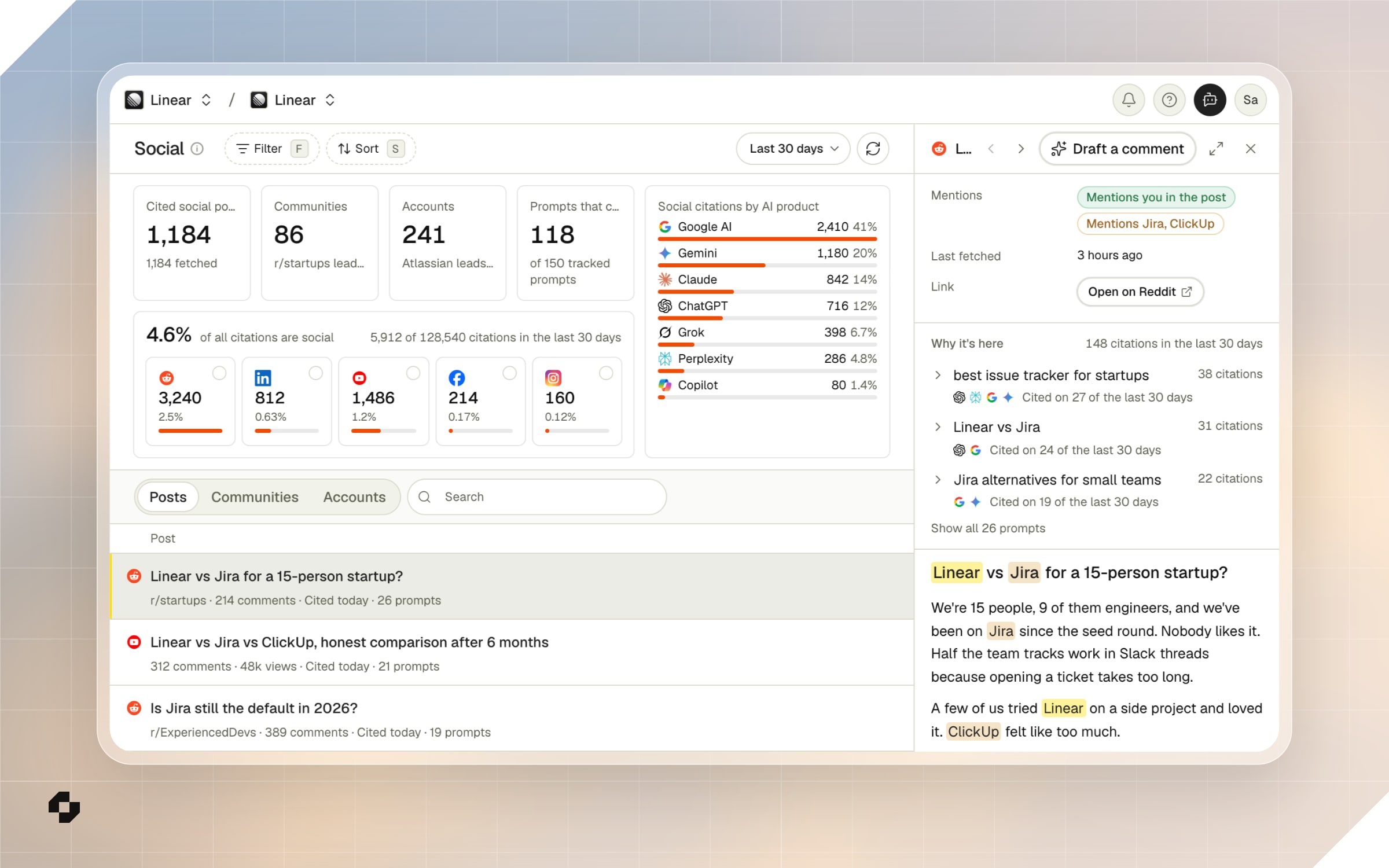
    The new Social page lists the Reddit threads, YouTube videos and LinkedIn, Facebook and Instagram posts that AI answers cite for your prompts, shows which ones name your competitors and not you, and has the agent draft a reply that follows the community's rules.

    The Social page in ChatFeatured for a Linear project: 1,184 cited social posts, 4.6% of citations coming from social, and a list of cited Reddit threads and YouTube videos, with the thread "Linear vs Jira for a 15-person startup?" open beside it, Linear, Jira and ClickUp highlighted, and a Draft a comment button
    • Every cited post in one list. Reddit threads, YouTube videos and LinkedIn, Facebook and Instagram posts, ranked by how often ChatGPT, Google AI, Gemini, Claude and the others cite them. Open one to read the thread and its top comments, and to see which prompts cite it and on which days.
    • Who each post names. Every post says whether it mentions you or a competitor, and your brand and theirs are highlighted in the text and the comments. The Reply opportunities view lists the threads that name a competitor, don't name you, and still take replies.
    • Communities, accounts and the share that's social. Communities ranks the subreddits and Facebook groups AI leans on, with their rules. Accounts does the same for YouTube channels, LinkedIn profiles and pages. Above them, see what share of all your citations are social, by channel and by AI product.
    • Drafts from the agent. On a post, Draft a comment has the agent read the thread, its top comments and the community's rules, then write a reply that says who you are and follows those rules. On a community or account, Ask the agent for a plan. The agent only drafts. Posting is up to you.

October 2026

  1. New feature

    Bing Webmaster Tools, with the real searches behind Bing's AI answers

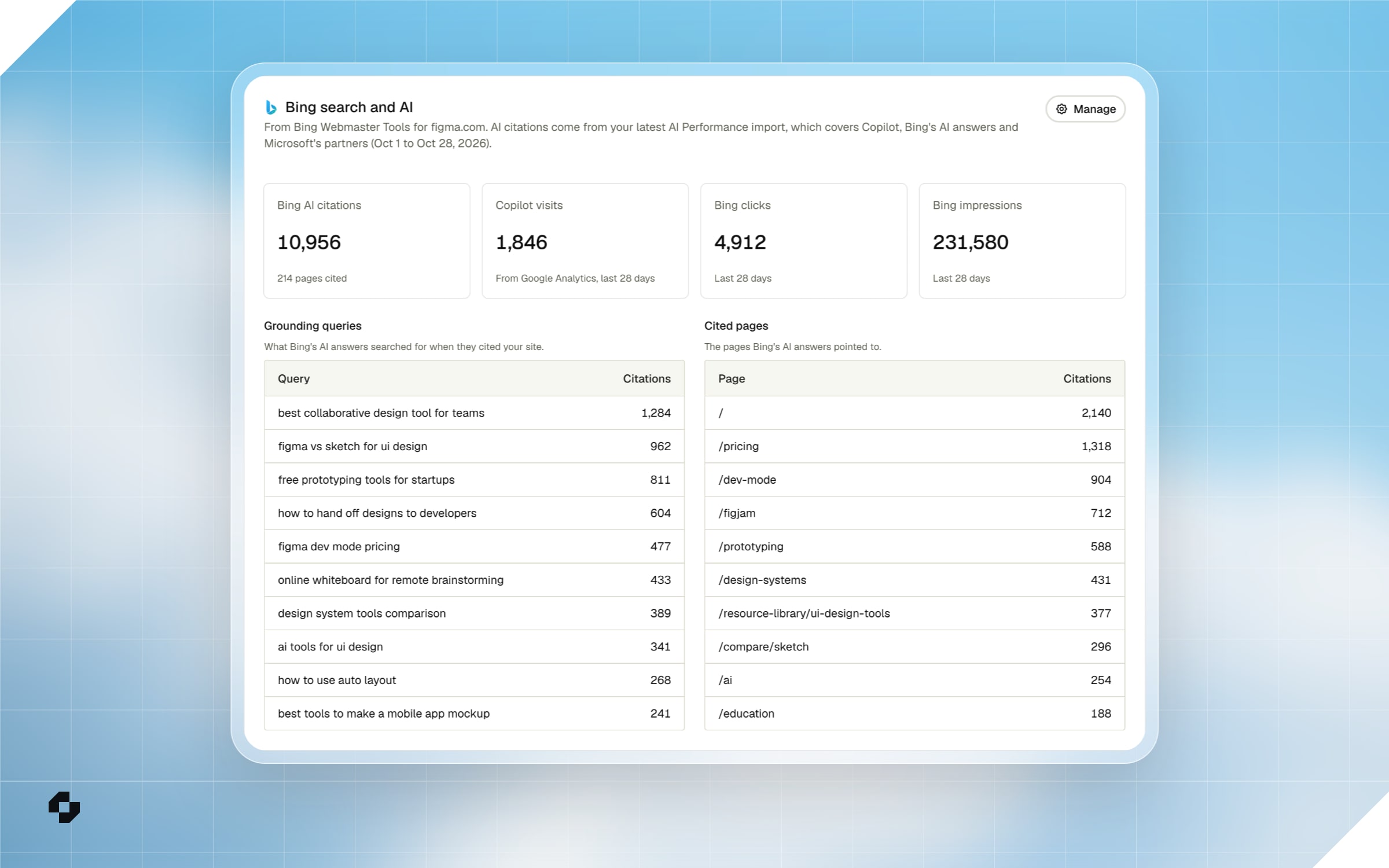
    Connect Bing Webmaster Tools to see the queries Bing's AI searched before it cited your site, the pages it cited, and your Bing search traffic, all in Website Analytics. ChatFeatured also writes tracked prompts from those queries.

    The Bing search and AI section of Website Analytics for a Figma project, with Bing AI citations, Copilot visits, Bing clicks and impressions above tables of grounding queries and cited pages
    • Real queries, first-party. Most AI engines keep the searches behind their answers to themselves. Bing shares them. Its AI Performance report lists the grounding queries Copilot and Bing's AI answers searched before citing your site, and ChatFeatured now reads them.
    • A Bing section in Website Analytics. See your Bing AI citations, the pages cited and the top grounding queries next to the visits Copilot sent you, with your Bing clicks, impressions and top Bing queries beside them. Copilot visits need Google Analytics, Plausible or Fathom connected.
    • Prompts from real searches. When you generate prompts, ChatFeatured uses your Bing queries and grounding queries alongside your Search Console queries, so you track what people actually ask. Hover the search icon on a prompt to see the query it came from.
    • Setting it up. In Integrations > Bing Webmaster Tools, paste a Bing API key for search data and upload the AI Performance CSV exports for citations. Either one works without the other. The setup guide walks through both.
  2. New feature

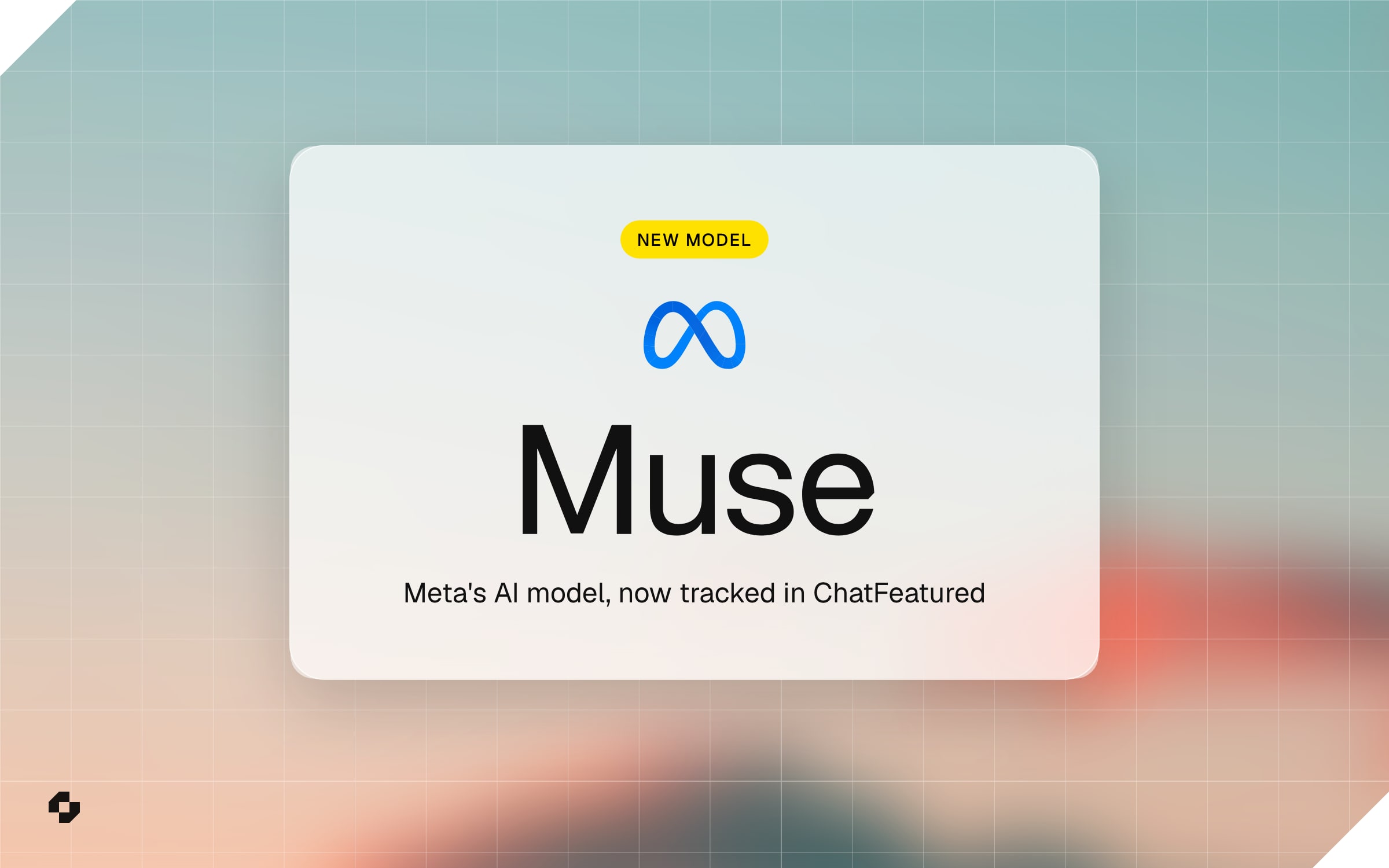
    Track your brand in Muse, Meta's AI model

    Muse, Meta's AI model, is now an engine ChatFeatured tracks. Add it to a Growth or Enterprise workspace to see how Muse talks about your brand and which pages it cites.

    Meta's logo above the word Muse in a frosted glass card, with the line "Meta's AI model, now tracked in ChatFeatured"
    • A new engine to track. Muse joins Claude and Grok as a model add-on on Growth and Enterprise. Once it's on, every project in the workspace runs its tracked prompts in Muse each day, next to the engines you already track.
    • Answers and citations, like every other engine. Muse searches the web before it answers, so you see whether your brand is mentioned, which competitors come up beside it, and the pages Muse cites, in each prompt's country.
    • Muse on its own. Pick Muse in the Model filter on Prompts to read only its answers.
    • Adding it. In Settings > Billing, click Contact Sales next to Muse under Model Add-ons, and our team turns it on.
  3. Improvement

    Overhauled Competitors Page

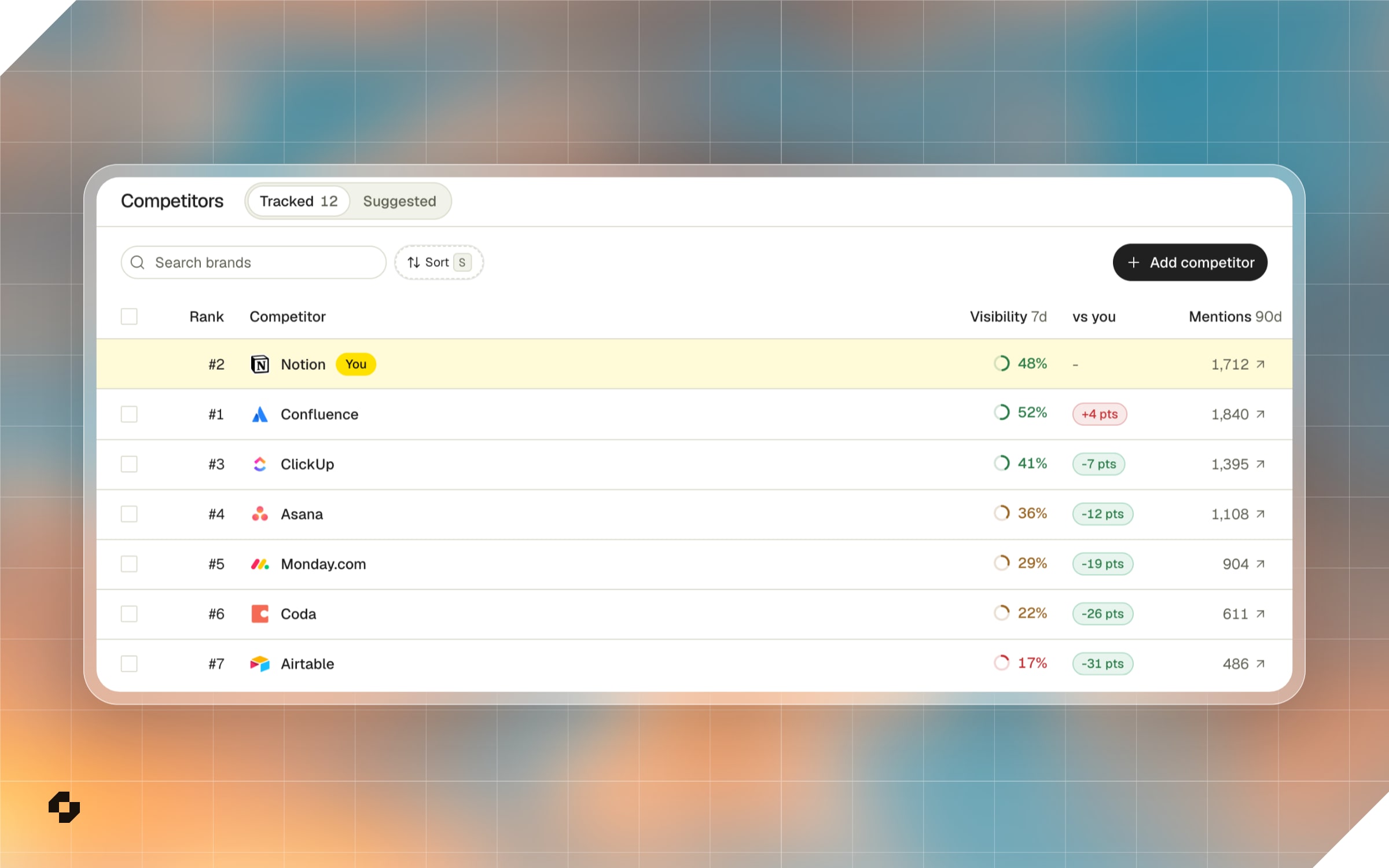
    Competitors is now one table, with your brand pinned to the first row, so every rival's visibility, rank and mentions read against yours.

    The Competitors table in ChatFeatured for a Notion project, with Notion pinned to the first row above Confluence, ClickUp and Asana
    • Your brand stays on top. It's pinned to the first row and marked You, and a vs you column shows how far ahead or behind each competitor is.
    • Tracked and Suggested tabs. Tracked is the list you follow. Suggested lists up to 50 brands AI keeps naming beside you, and each one can be tracked or dismissed from its row.
    • Needs review. When AI answers use names that might belong to a competitor, like Google AI or Google Analytics for Google, the brand's panel asks whether they count. Turn on the filter to work through them one brand at a time.
    • Search, sort and bulk actions. Find a brand by name or website, sort by any column, and track, dismiss or stop tracking several at once.

When customers ask AI what to buy, be the answer.